
AI Background Remover for Clean, Transparent Image Results
Choose a photo, remove its background, and refine the edges. Download a transparent PNG for free, with no sign-up.
- Free, no account
- PNG download, no watermark
- Files expire after 24 hours
Drop an image hereRemove a background from your photo
or paste with Ctrl/⌘ V
JPG, PNG or WebP · up to 10 MB, 25 MP
No image handy? Try one:
Samples run through the same editor. Have a stack of photos? Bulk background remover →
Ready when you are
Your image stays on this device until you start.
Working on your image
- Uploading…0.0 MB of 2.4 MB
- Waiting for a free slot#3 in line · it'll start automatically
- Removing background…Finding the subject and its edges
- FinishingPreparing your PNG
Connection interrupted. Checking the same request again…
Your image is uploaded securely to process it. Keep this tab open until it finishes.
We couldn't remove the background
The server couldn't finish this image.
Your image is still here — nothing is lost.
Supported files
JPG, PNG or WebP, up to 10 MB, 25 MP. Animated GIF / WebP and HEIC aren't supported yet.
Real results
Drag to compare. Then try it on the same image.
Unedited AI output. Where it isn't perfect, we show it — that's what the brush is for.
AI-generated originals. Actual EasyRemoveBG results.
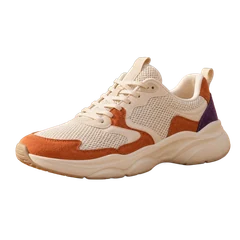
 BeforeAfter

 BeforeAfter

 BeforeAfter

 BeforeAfter
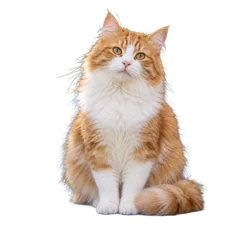
 BeforeAfter
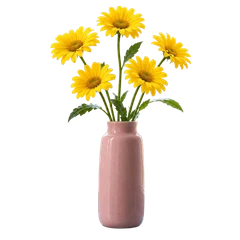
 BeforeAfter
How it works
Three steps, no account
- 1
Choose image
Pick, drop or paste a JPG, PNG or WebP up to 10 MB.
- 2
Remove and refine
Click Remove background to process your image, then refine the edges if needed.
- 3
Download PNG
Keep it transparent or add a solid color, then download — free, no sign-up.
More tools
Made for the image you actually have
Same editor, set up for a specific job.
Bulk Background Remover
Add up to 10 photos at a time, retry any that fail and download the results as one ZIP.
Open tool →White Background Maker
Starts with a white backdrop selected — handy for product listings and ID-style photos.
Open tool →PNG Transparent Background
Turn any JPG or WebP into a PNG with a real transparent background.
Open tool →Logo Background Remover
Lift a raster logo off its backdrop and clean the gaps inside letters and shapes.
Open tool →Signature Background Remover
Remove paper from a photographed or scanned signature and erase stray specks.
Open tool →WebP Background Remover
Drop a still WebP image and get a transparent PNG back.
Open tool →FAQ
Questions, answered plainly
Answers about formats, cloud processing and downloads.
Is it really free? Do I need an account?
Yes. Removing a background, refining it and downloading the PNG is free and needs no account or email.
What file do I get?
A PNG at the same pixel size as your image. With “Transparent” selected the background is truly transparent (alpha); with a color selected, the PNG has that solid background. The checkerboard is only a preview.
Which files can I use, and how big?
JPG, PNG and WebP images up to 10 MB and 25 megapixels (for example 6000 × 4000 px). Animated GIF / WebP and HEIC aren't supported yet.
What happens to my images?
To remove the background, your image is uploaded over an encrypted connection and processed in the cloud. The uploaded image and the result expire 24 hours after upload. Expired files are permanently deleted during daily cleanup, normally within the following 24 hours.
How long does it take?
Processing time depends on the image and service availability. When many people are using the tool, your image may wait briefly in line — it starts automatically.
The edges aren't perfect. What can I do?
Use Erase to remove leftover background and Restore to bring back parts that were removed, like hair, thin strokes or glass. Every stroke can be undone.
Does it work on my phone?
Yes. It works in current versions of Chrome, Edge, Safari and Firefox on phones, tablets and computers — no app to install.
Can I remove backgrounds from many images at once?
Yes — use the Bulk Background Remover. Sign in with Google to process up to 10 images per batch, retry any that fail and download the ready results as one ZIP.