
Signature Background Remover for Transparent PNGs
Remove the paper from a photo or scan of your signature and download a transparent PNG. Free, no sign-up.
- Transparent PNG
- Free, no account
- Files expire after 24 hours
Drop an image hereClean up a signature
or paste with Ctrl/⌘ V
JPG, PNG or WebP · up to 10 MB, 25 MP
No image handy? Try one:
Samples run through the same editor. Have a stack of photos? Bulk background remover →
Ready when you are
Your image stays on this device until you start.
Working on your image
- Uploading…0.0 MB of 2.4 MB
- Waiting for a free slot#3 in line · it'll start automatically
- Removing background…Finding the subject and its edges
- FinishingPreparing your PNG
Connection interrupted. Checking the same request again…
Your image is uploaded securely to process it. Keep this tab open until it finishes.
We couldn't remove the background
The server couldn't finish this image.
Your image is still here — nothing is lost.
Supported files
JPG, PNG or WebP, up to 10 MB, 25 MP. Animated GIF / WebP and HEIC aren't supported yet.
Real signature results
Lined notebook and plain paper with shadows.
Unedited output on fictional demo signatures. Ruled lines can leave faint traces; specks usually disappear.
AI-generated originals. Actual EasyRemoveBG results.

 BeforeAfter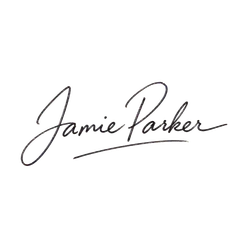
 BeforeAfter
How it works
Three steps, no account
- 1
Photograph your signature
Dark ink on light paper, flat, in good light. Fill the frame.
- 2
Remove and refine
Click Remove background to process your image, then refine the edges if needed.
- 3
Download PNG
Download a transparent PNG to place on documents or slides.
Good to know
Prepare and refine your signature
Honest limits, so the result isn't a surprise.
Dark ink, light paper
Use blue or black ink on plain white paper. Keep the paper flat and evenly lit; crop out unrelated text and personal details before choosing the image.
Thin strokes can fade
Check the result at 100% zoom. If dots, loops or light strokes have faded, use Restore with a small brush, then Erase any remaining paper or specks.
An image, not an e-signature
This makes a picture of your signature. It isn't a legally binding e-signature service.
FAQ
Questions, answered plainly
Answers about formats, cloud processing and downloads.
Is this a legal electronic signature?
No. You get an image file of your handwriting. Legal e-signature services add identity checks and audit trails.
How do I remove notebook lines?
Use Erase with a small brush along any remaining notebook lines or paper shadows. Zoom in to avoid touching the ink. If a line crosses the handwriting, plain paper may give a cleaner starting image.
Is my signature kept?
Your upload and result expire 24 hours after upload. Expired files are permanently deleted during daily cleanup, normally within the following 24 hours. Avoid uploading documents with other personal details.
Which files can I use, and how big?
JPG, PNG and WebP images up to 10 MB and 25 megapixels (for example 6000 × 4000 px). Animated GIF / WebP and HEIC aren't supported yet.
Is it really free? Do I need an account?
Yes. Removing a background, refining it and downloading the PNG is free and needs no account or email.