
WebP Background Remover with Transparent PNG Output
Drop a WebP image and get a transparent PNG back. Free, no sign-up — refine the edges before you download.
- WebP in, PNG out
- Free, no account
- Files expire after 24 hours
Drop an image hereRemove a WebP background
or paste with Ctrl/⌘ V
JPG, PNG or WebP · up to 10 MB, 25 MP
No image handy? Try one:
Samples run through the same editor. Have a stack of photos? Bulk background remover →
Ready when you are
Your image stays on this device until you start.
Working on your image
- Uploading…0.0 MB of 2.4 MB
- Waiting for a free slot#3 in line · it'll start automatically
- Removing background…Finding the subject and its edges
- FinishingPreparing your PNG
Connection interrupted. Checking the same request again…
Your image is uploaded securely to process it. Keep this tab open until it finishes.
We couldn't remove the background
The server couldn't finish this image.
Your image is still here — nothing is lost.
Supported files
JPG, PNG or WebP, up to 10 MB, 25 MP. Animated GIF / WebP and HEIC aren't supported yet.
WebP → PNG
Web images, cleaned up.
Demo input saved as WebP, output as transparent PNG. Static images only.
AI-generated originals. Actual EasyRemoveBG results.
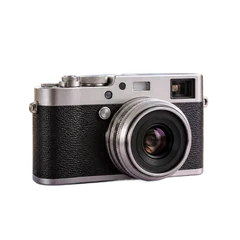
 BeforeAfter
 BeforeAfter
How it works
Three steps, no account
- 1
Choose a WebP
Pick a still .webp image — saved from a website or exported from an app.
- 2
Remove and refine
Click Remove background to process your image, then refine the edges if needed.
- 3
Download PNG
Download a transparent PNG. WebP output isn't offered yet.
Good to know
From a WebP image to a transparent PNG
Honest limits, so the result isn't a surprise.
Animated WebP not supported
Only still WebP images are processed. Animated files are rejected with a clear message.
Output is PNG
Download the cutout as a transparent PNG for your design or website. If you later convert it to WebP in another tool, keep transparency enabled; JPEG cannot store it.
Use the original size
Use the original WebP rather than a small website thumbnail when possible. Repeated resizing or compression can blur fine edges; background removal does not recover detail that is already missing.
FAQ
Questions, answered plainly
Answers about formats, cloud processing and downloads.
Do you support animated WebP?
Not yet. Only still WebP images are supported in this version.
Can I download a WebP instead of PNG?
Not yet — PNG keeps transparency everywhere. You can convert the PNG to WebP in another tool.
Can I also use JPG or PNG here?
Yes. This page is set up for WebP, but JPG and PNG work the same way.
Which files can I use, and how big?
JPG, PNG and WebP images up to 10 MB and 25 megapixels (for example 6000 × 4000 px). Animated GIF / WebP and HEIC aren't supported yet.
What happens to my images?
To remove the background, your image is uploaded over an encrypted connection and processed in the cloud. The uploaded image and the result expire 24 hours after upload. Expired files are permanently deleted during daily cleanup, normally within the following 24 hours.
Is it really free? Do I need an account?
Yes. Removing a background, refining it and downloading the PNG is free and needs no account or email.